
Download 3GP Player – 3GP, 3G2, MPEG-4 Video Playback Tool
Overview
3GP Player is a focused utility application designed to play 3GP video files on mobile devices, particularly catering to users who frequently record videos using smartphones. The app addresses a common challenge: the limited compatibility of 3GP and related formats across standard media players. By offering dedicated support for 3GP, 3G2 (3GPP2), and MPEG-4 formats, it provides a reliable solution for accessing mobile-recorded videos without the need for format conversion.
This makes it especially useful for individuals managing personal video archives, sharing clips from older devices, or working with content captured on low-end mobile phones. The app’s primary value lies in its simplicity and purpose-driven design—there are no unnecessary features or complex settings. Its lightweight nature ensures it runs smoothly even on older or less powerful devices.
Although the developer did not provide additional technical details, the app’s focus on minimalism and functionality suggests a targeted approach to solving a niche playback problem. In the broader app ecosystem, 3GP Player fills a gap for users who need a no-frills, dependable player for legacy mobile video formats. It serves as a practical tool for everyday use, particularly in environments where video compatibility is a recurring issue.
Key Features & Functionality
- Format Compatibility: 3GP Player supports 3GP, 3G2 (3GPP2), and MPEG-4 video formats, which are commonly used by mobile devices for low-bandwidth recording. This allows users to play videos directly from smartphones without requiring conversion or third-party software.
- Intuitive Interface: The app features a clean, minimal layout with straightforward navigation. Users can open a video file with a single click, eliminating the need to navigate complex menus or adjust playback settings.
- Low Resource Usage: Designed to be lightweight, 3GP Player consumes minimal system resources, enabling smooth playback even when multitasking with other applications.
- Free to Use: The application is completely free, with no in-app purchases, ads, or premium tiers. This makes it accessible to users across different economic backgrounds.
For example, a user recording short clips on an older Android phone can open these files directly in 3GP Player without needing to re-encode them. Similarly, someone managing a collection of videos from various mobile sources can use the app as a consistent playback solution. The lack of additional features ensures that the app remains fast and reliable, focusing solely on its core function: playing supported video files efficiently.
Interface, UX & Performance
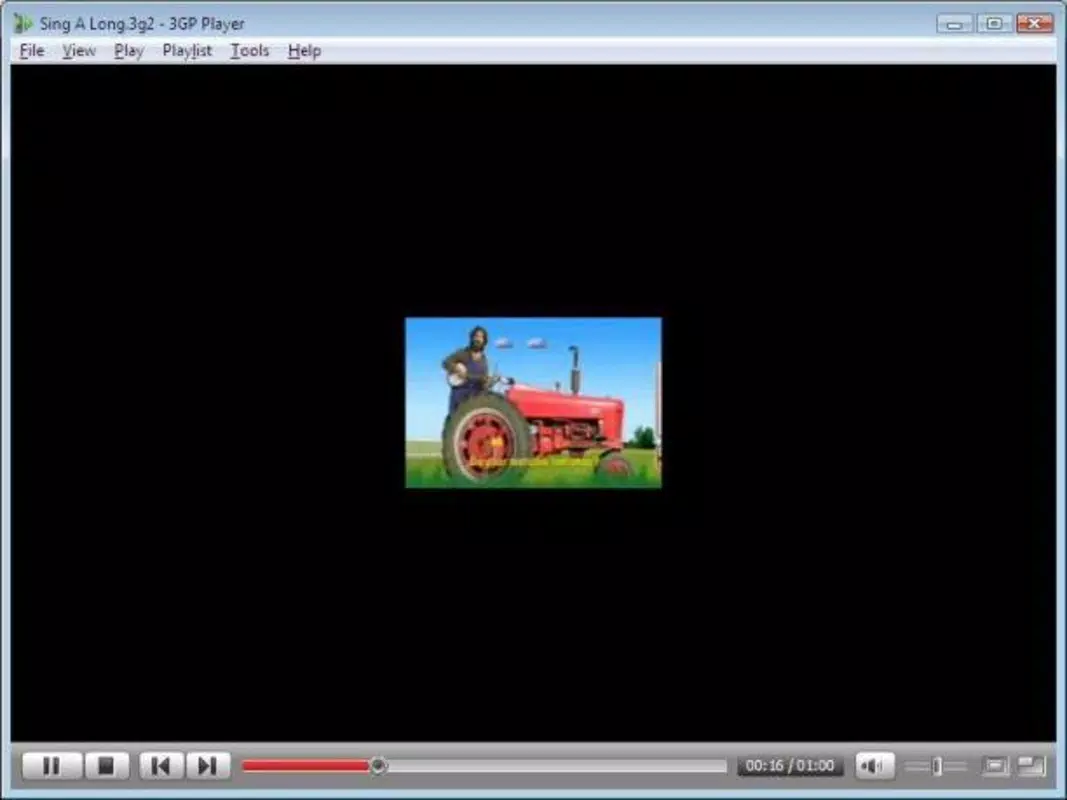
The user interface of 3GP Player is intentionally simple, prioritizing functionality over visual flair. The layout consists of a central playback area with basic controls such as play, pause, and stop, along with a file browser for selecting videos. Navigation is linear and predictable, minimizing the learning curve for new users.
The design avoids clutter, ensuring that essential functions are always accessible. Although the developer did not list formal performance metrics, the app’s lightweight design suggests it performs well on a range of device categories, including older or entry-level smartphones. Responsiveness appears to be consistent, with minimal lag during playback or file loading.
Stability is maintained through a streamlined codebase focused on playback, reducing the likelihood of crashes or freezes. Users can expect smooth operation even when running other background processes. The app does not require excessive permissions, which enhances privacy and security.
Overall, the user experience is optimized for efficiency, making it suitable for both casual users and those needing a dependable tool for regular video playback.
Platform Compatibility & Technical Requirements
3GP Player is available for Android devices. The app supports the Android operating system, though specific version requirements were not listed. The file size is reported as 1.5 MB, indicating a compact footprint that contributes to its low resource consumption.
The developer did not specify minimum OS requirements, nor did they provide information on device compatibility beyond the platform. This lack of detail means users should exercise caution when installing on older or non-standard Android versions. The app does not appear to be available on iOS or other platforms, limiting its reach to Android users only.
For those seeking a lightweight video player for mobile-recorded 3GP files, the app’s availability on Android offers a targeted solution. However, the absence of detailed technical specifications prevents a full assessment of compatibility with all Android variants.
Pros and Cons
Pros
- Specifically designed for playback of 3GP, 3G2, and MPEG-4 video formats.
- Lightweight and efficient, using minimal system resources.
- Completely free to download and use with no ads or in-app purchases.
- Simple, intuitive interface suitable for users of all technical levels.
- Supports direct playback without the need for file conversion.
Cons
- Compatibility information was not fully disclosed.
- No support for other video formats beyond 3GP, 3G2, and MPEG-4.
- Developer did not provide details on minimum OS requirements.
- App is limited to Android, with no availability on iOS or other platforms.
- Limited functionality, which may not appeal to users seeking advanced playback features.
FAQ
Is 3GP Player safe to download and use?
Yes, the app is free and does not require excessive permissions. It is designed as a lightweight video player with no known security risks, though users should always download from trusted sources.
Can I use 3GP Player on iOS devices?
As of now, the app is only available for Android. The developer did not provide information on iOS compatibility or future plans.
Does 3GP Player support subtitles or audio tracks?
Specific features such as subtitle support or multiple audio tracks were not listed. The app focuses on basic playback functionality.
How often is 3GP Player updated?
The developer did not disclose update frequency. The last release was on March 30, 2015, which may indicate limited ongoing development.
Can I play 3GP files from my smartphone using this app?
Yes, 3GP Player is specifically designed to play videos recorded on mobile devices, including those in 3GP, 3G2, and MPEG-4 formats.
Final Thoughts + CTA
3GP Player stands out as a niche yet effective tool for users who regularly work with mobile-recorded video files. Its focused functionality, lightweight design, and complete freedom from cost make it a compelling choice for anyone needing a reliable playback solution for 3GP and related formats. While it lacks advanced features and has limited platform availability, its simplicity and efficiency are its greatest strengths.
It is ideal for individuals managing personal video collections, sharing clips from older devices, or working in environments where format compatibility is a persistent challenge. For those seeking a secure, no-frills way to play 3GP videos on Android, this app delivers consistent performance without distractions. Despite its age, it remains functional for its intended purpose.
Download 3GP Player now and enjoy seamless playback of your mobile videos without the hassle.


